Image → SVG studio · AI-tuned

Raster in.Infinite out.

Vectorizer.dev rebuilds JPG and PNG images as clean, infinitely scalable SVG on your device — and Auto mode reads each image to tune the trace and write its metadata for you. Nothing uploads.
  • 3 free a day, no account
  • no uploads
  • no watermarks
  • SVG · PNG · code
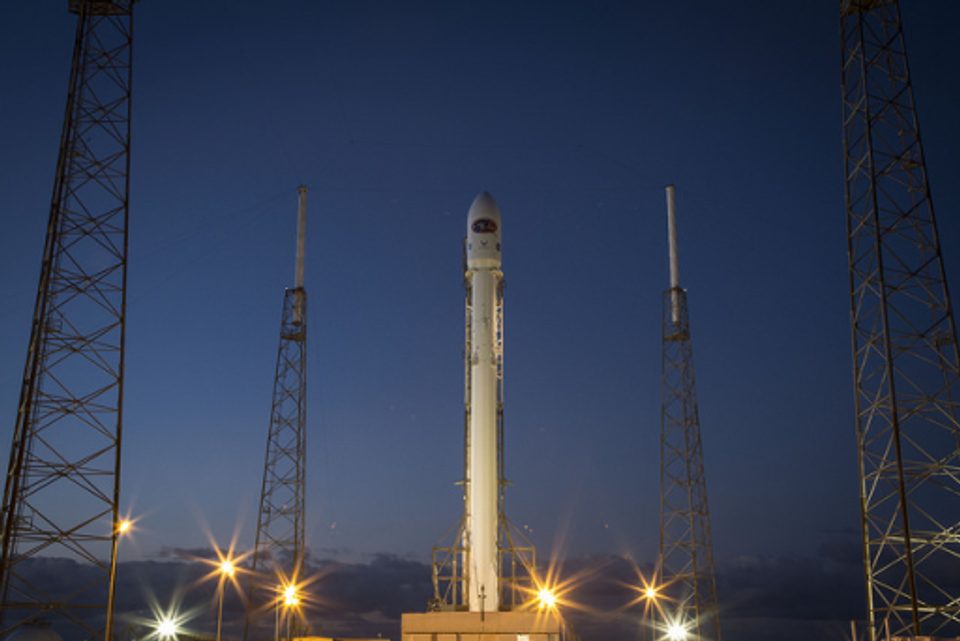
Rocket on a launch pad at dusk — original raster photograph
paths 573gradients liveuploaded 0 bytes
real engine output
Conversion never leaves your deviceSeconds, not minutesAuto mode reads every imagePreview Pro quality free

The pipeline

Four moves from pixels to geometry.

  1. 01

    Drop

    Drag in any JPG or PNG up to 20 MB — one, or a whole folder — or start from a sample.

  2. 02

    Read

    Auto mode looks at a thumbnail, names what it sees, and sets every slider for that image.

  3. 03

    Trace

    The engine rebuilds the image as smooth gradient regions on your device, and scores its own fidelity.

  4. 04

    Ship

    Export SVG with accessible title and description baked in, PNG at 2× or 4×, a ZIP of the batch, or the code.

Why it feels different

Built like an instrument, not a converter.

Auto mode

Every image gets read before it gets traced: what it is, how much detail it carries, where the edges matter. The sliders move themselves, the metadata writes itself, and you keep the last word.

Private by architecture

The conversion engine ships to your browser and runs there. Your image is never uploaded, stored, or seen — it works with the network cable pulled. Privacy isn't a policy here; it's physics.

Gradient-native tracing

Most tools posterize photos into flat stickers. This engine models each region as a live gradient — skies stay skies, skin stays skin.

Try Pro before buying it

Preview Max detail on your own file, with a fidelity score next to your free result. Decide on evidence, not a feature list.

Batch and ship

Drop a folder, convert everything with one set of settings, download a ZIP. SVG, PNG up to 4×, or the raw markup.

The zoom test

Pixels give up. Geometry doesn't.

Rocket launch photograph used for the zoom comparison
move the glass

Same crop. Same magnification. Different math.

The left half of the glass is the original raster at 4× — pixels have nothing more to give. The right half is the traced SVG at the same 4× — geometry re-renders perfectly at any scale, from favicon to billboard.

zoom4×

689 paths · 594 live gradients · traced by the same engine that runs in your browser.

Cloud intelligence

An art director on call.

Conversion stays on your device. The intelligence features work from a small thumbnail or your text — never your original file — and every one of them is opt-in.

Read & tune

One reading returns the image kind, tuned slider values, and publication metadata.

kind — photo · detail 58 · edges 62
title — Astronaut in Orange Launch Suit

Reimagine

A photo becomes flat vector illustration — same subject, new medium — then traces on-device.

coffee.jpg → flat illustration → SVG

Prompt-to-vector

AI Studio refines your idea, paints it, and vectorizes it. Idea to SVG in under a minute.

prompt — "a fox curled around a crescent moon" → logo mark

Export pack

Filename, SEO title and description, keywords, and a caption — a shippable metadata kit.

filename — astronaut-orange-launch-suit
keywords — astronaut svg, nasa portrait vector, …
2.6s
median in-browser trace
0 bytes
uploaded during conversion
~5s
for Auto mode to read an image
output resolution, forever

Questions

Asked and answered.

Is my image really never uploaded?
Correct — conversion runs entirely in your browser, on your device. You can watch the network panel: zero image bytes leave for the trace. Auto mode and the other intelligence features send only a small downscaled thumbnail, never your original, and you can switch them off.
What does Auto mode actually do?
It reads a thumbnail of your image, decides what kind of image it is, sets Detail, Smoothing, Edge sharpness, Texture and Curve precision for it, and writes a title, alt text, description and tags. The trace re-runs with those settings within seconds, and you keep the last word on every slider.
What kinds of images convert best?
Photographs, illustrations, logos, screenshots and diagrams all work. Clear subjects and reasonable resolution (500 px or more on the short edge) give the engine the most to work with. JPG and PNG up to 20 MB.
Can I see the Pro quality before paying?
Yes. On any image, Preview Max detail traces the Pro preset at 1536 px and shows it side by side with your free result, with a fidelity score for each. Exporting that version needs Pro; looking is free.
What's the difference between Free and Pro?
Free gives you 3 conversions a day at up to 1024 px, Auto mode, the core presets and 3 generations a day. Pro ($12/month or $96/year) is unlimited, raises resolution to 2048 px, unlocks Max detail with gradient meshes, adds batch conversion with ZIP export, 40 generations a day on the higher-quality engine, and commercial use.
What are Reimagine and AI Studio?
Reimagine redraws a photo as flat vector-style art from a thumbnail, then traces the result on your device. AI Studio starts from a text prompt instead: it refines the prompt, generates the image, and vectorizes it — idea to editable SVG in under a minute.
Why is the SVG sometimes bigger than my source file?
A photograph compressed as JPG is very dense; faithful geometry can cost more bytes at high detail settings. Lower Detail or Curve precision, pick the Poster preset for compact files — or keep maximum fidelity and gzip it (SVG compresses extremely well).

Stop shipping pixels.

Your first conversions are free, private, and about thirty seconds away. No account required.